
Change management
Plan configuration changes, review the exact commands and keep a record of what ran.
Configuration change workflow
RealmHelm's built-in agent writes the change, or you use your own agent through rhctl. Each change lists device commands, rollback, checks and manual steps. You review and approve it in the browser, then follow it as it runs.
RealmHelm checks the plan against inventory and captured configurations. If the plan, credentials or device identity change after approval, the change needs approval again.
- Identity checks
- RealmHelm confirms the device's identity over the same connection it uses to send commands.
- Execution records
- Keep command output, before and after captures, expected and observed values, and who approved and ran the work.
- Configuration recovery
- Run the rollback written in the plan. The agent writes the rollback into the plan alongside the change.
- Lessons
- Add notes for a platform, such as a known quirk or a required step. An agent writing a plan for that platform must address them before RealmHelm accepts it.
Example change
An uplink migration with a cable move on site.
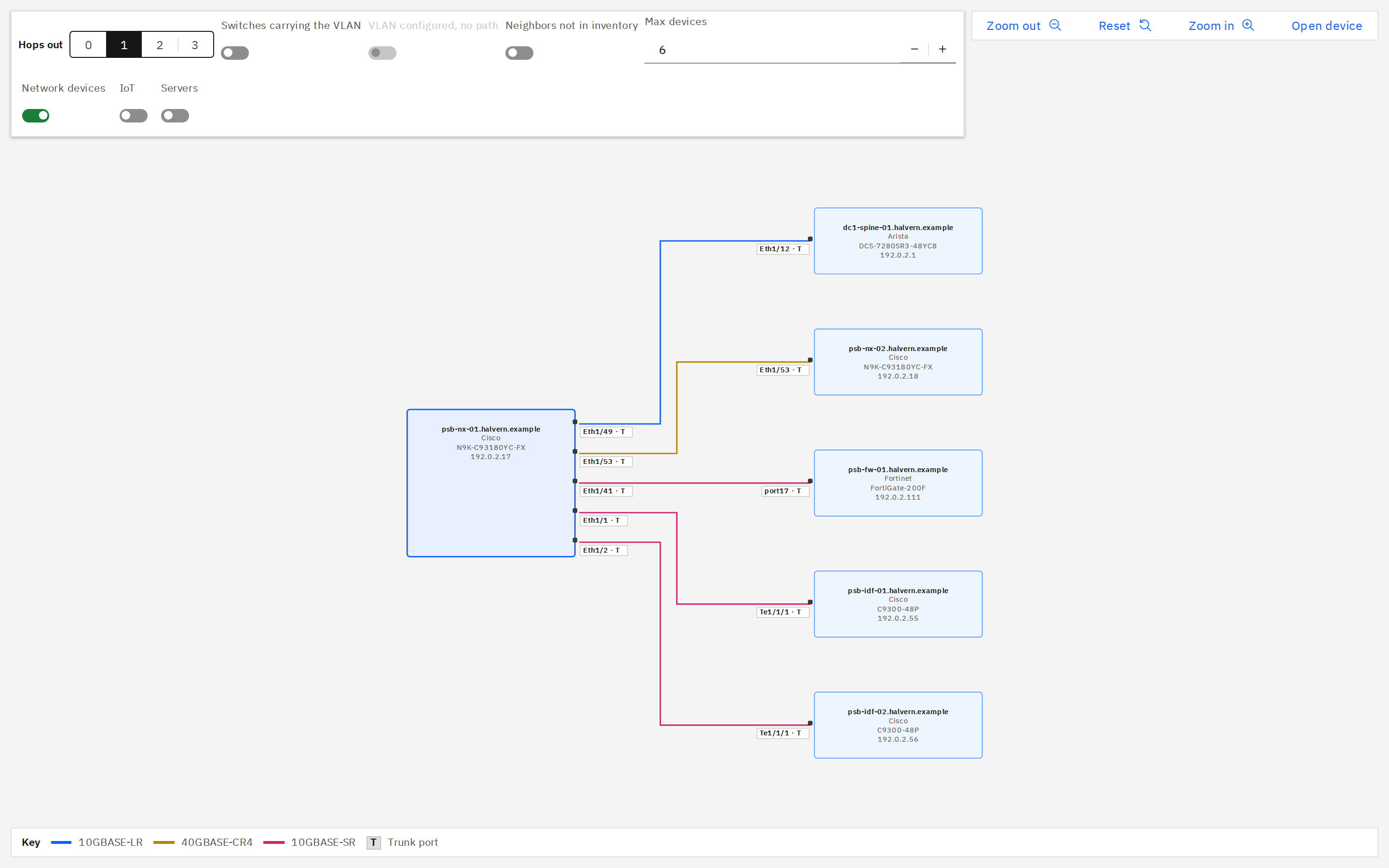
Review the network
Check the building's uplinks, current configurations and connectivity before preparing the migration.
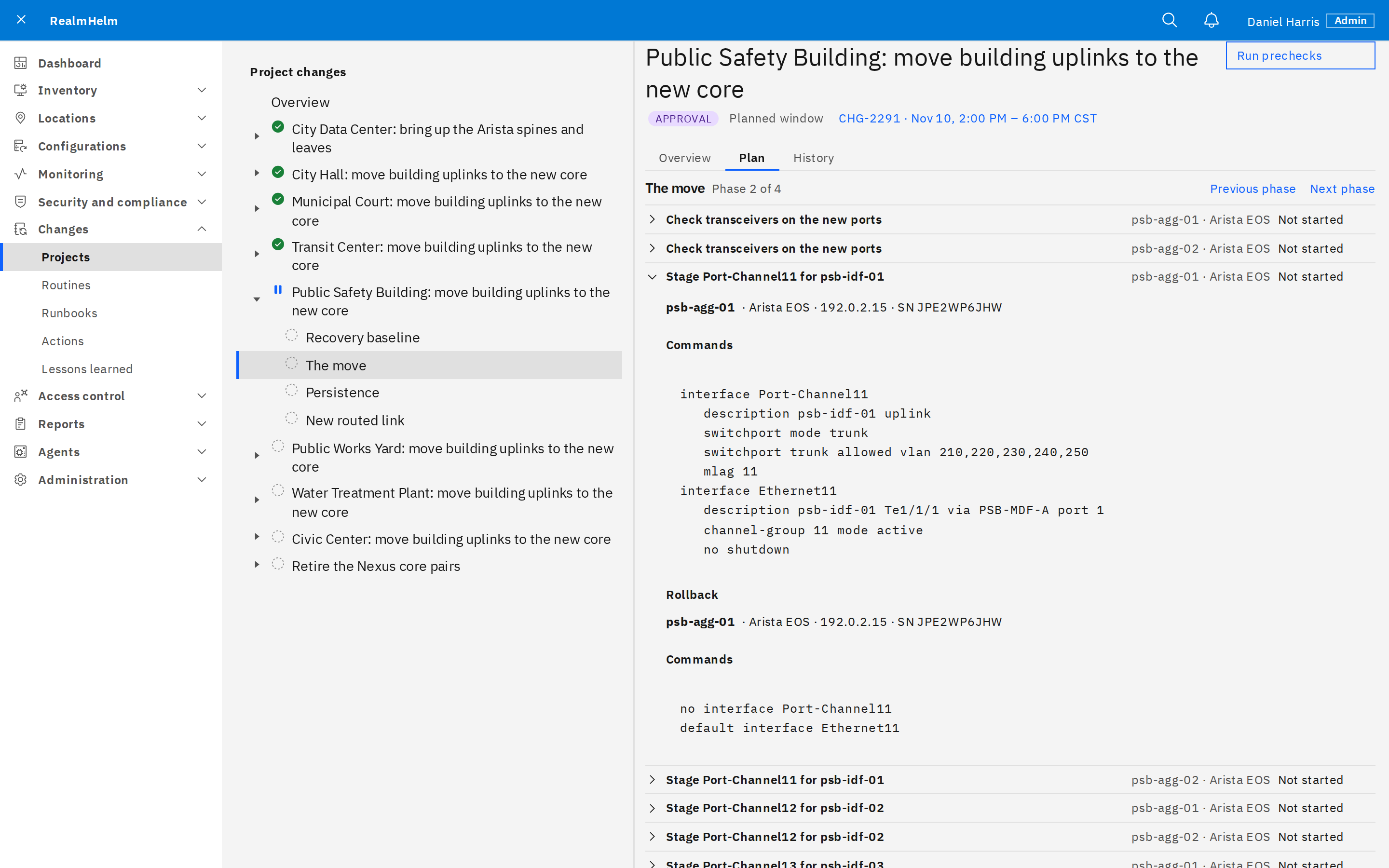
Prepare the change
The plan sets out each switch's commands and rollback, the checks for each phase, and the cable moves for the technician on site.
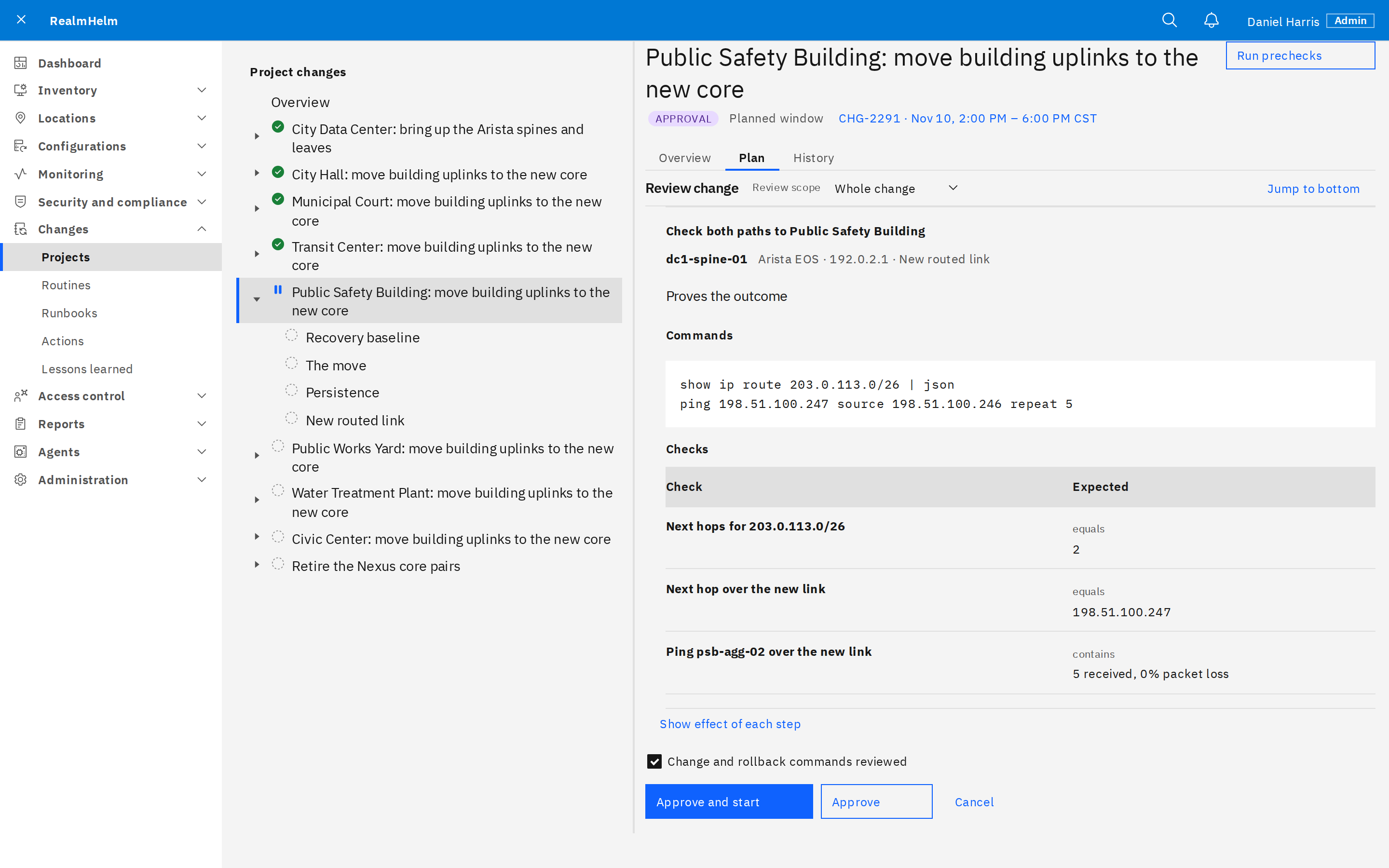
Approve
A person reviews the plan and approves it in the browser. An edited plan needs approval again.
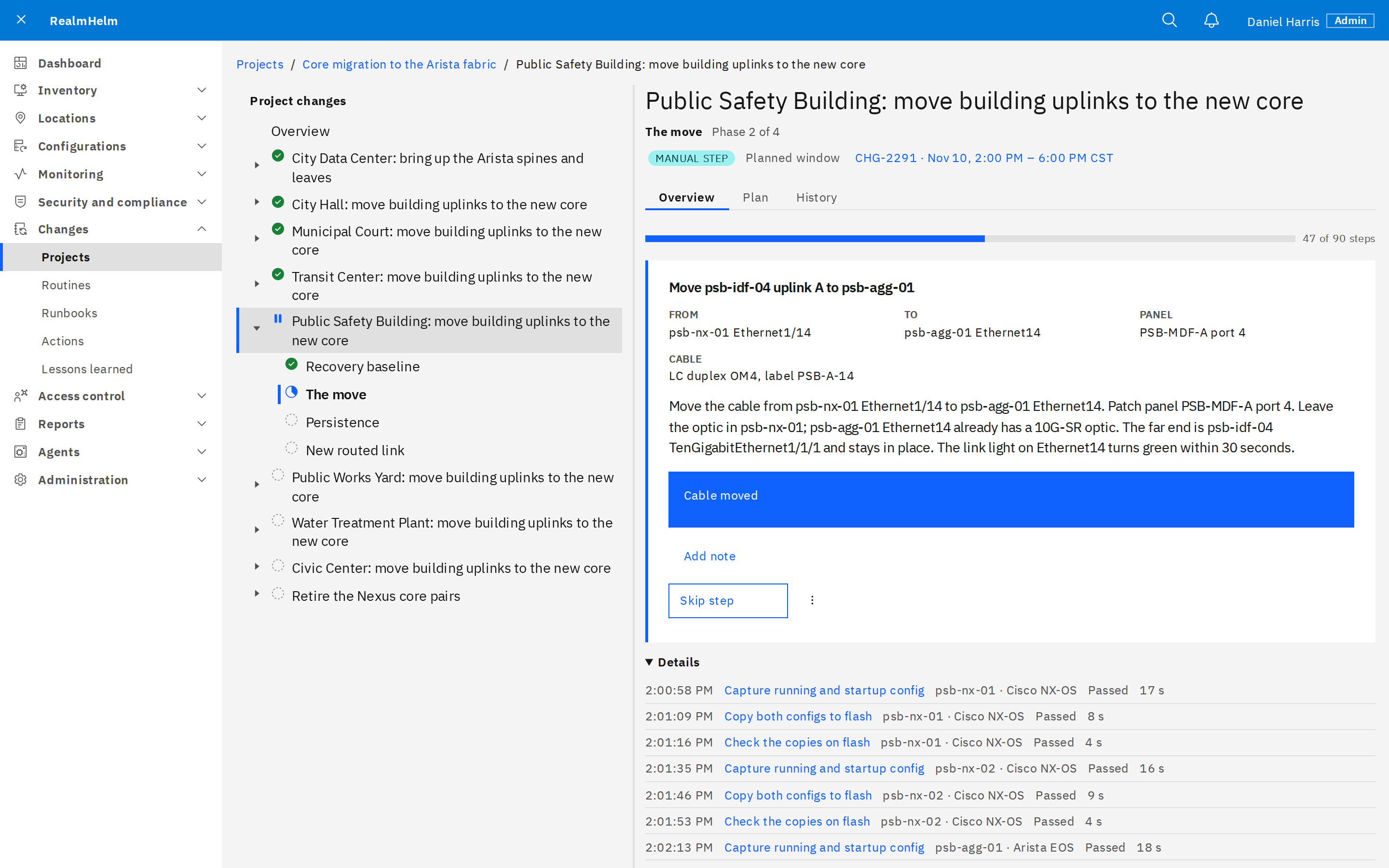
Run
RealmHelm confirms each device's identity before its step. The run waits for the technician to move a cable, then checks the link.
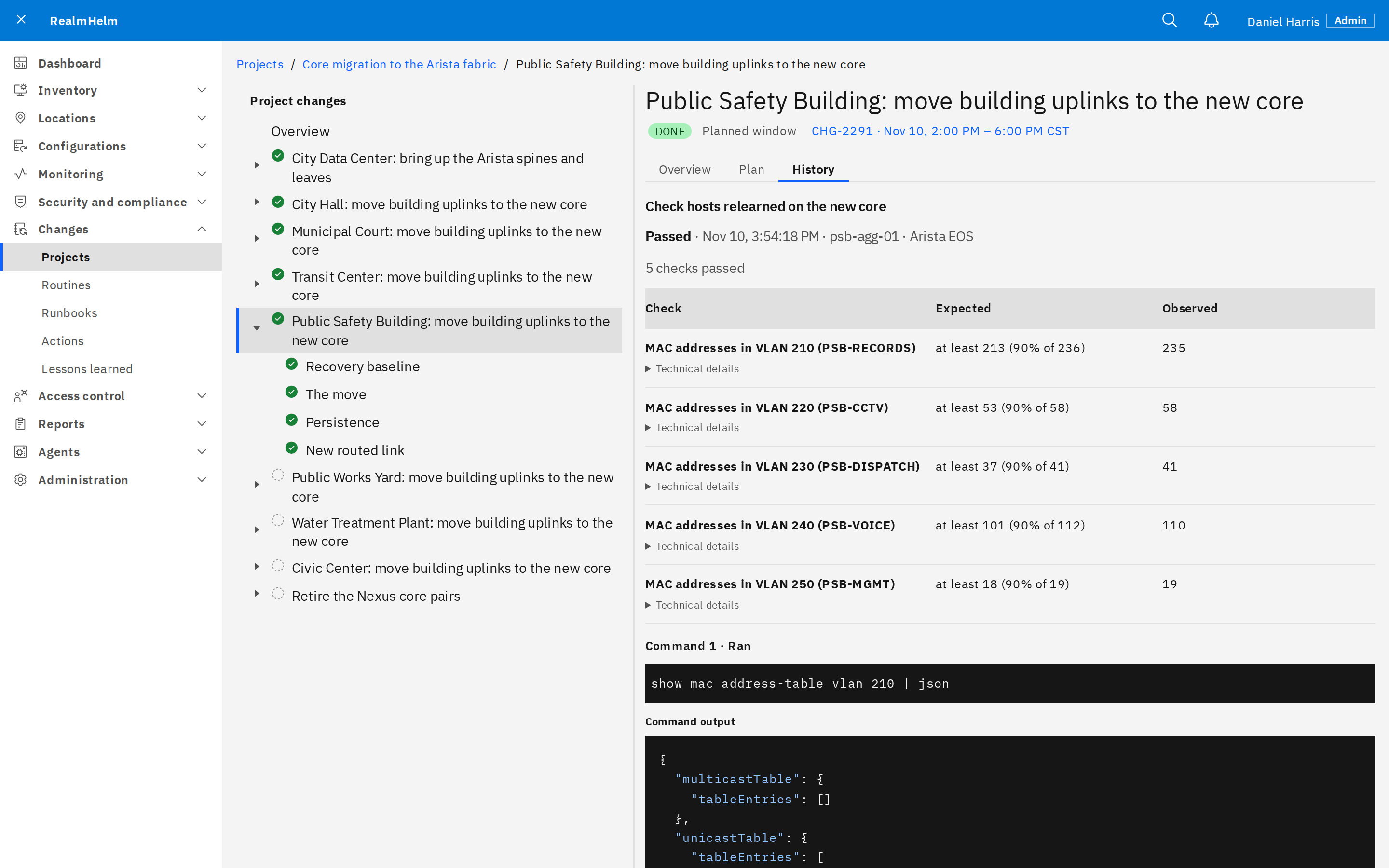
Verify
Checks record expected and observed values. The results and the configurations before and after stay with the change.
Runbooks and routines
- Actions and runbooks
- Reuse versioned steps and procedures. A run pins the versions it uses and can work through device groups in waves.
- Routines
- Save a maintenance runbook with its devices and values. Scheduled maintenance waits for browser approval.
Firmware upgrades
Firmware has its own image store, readiness checks and installation workflow.
Firmware upgradesSee it in RealmHelm
Talk with an engineer about your equipment and the work you need to do.