
Product /
Inventory and locations
Device records built from discovery and connected systems, with locations, sources and replacement history.
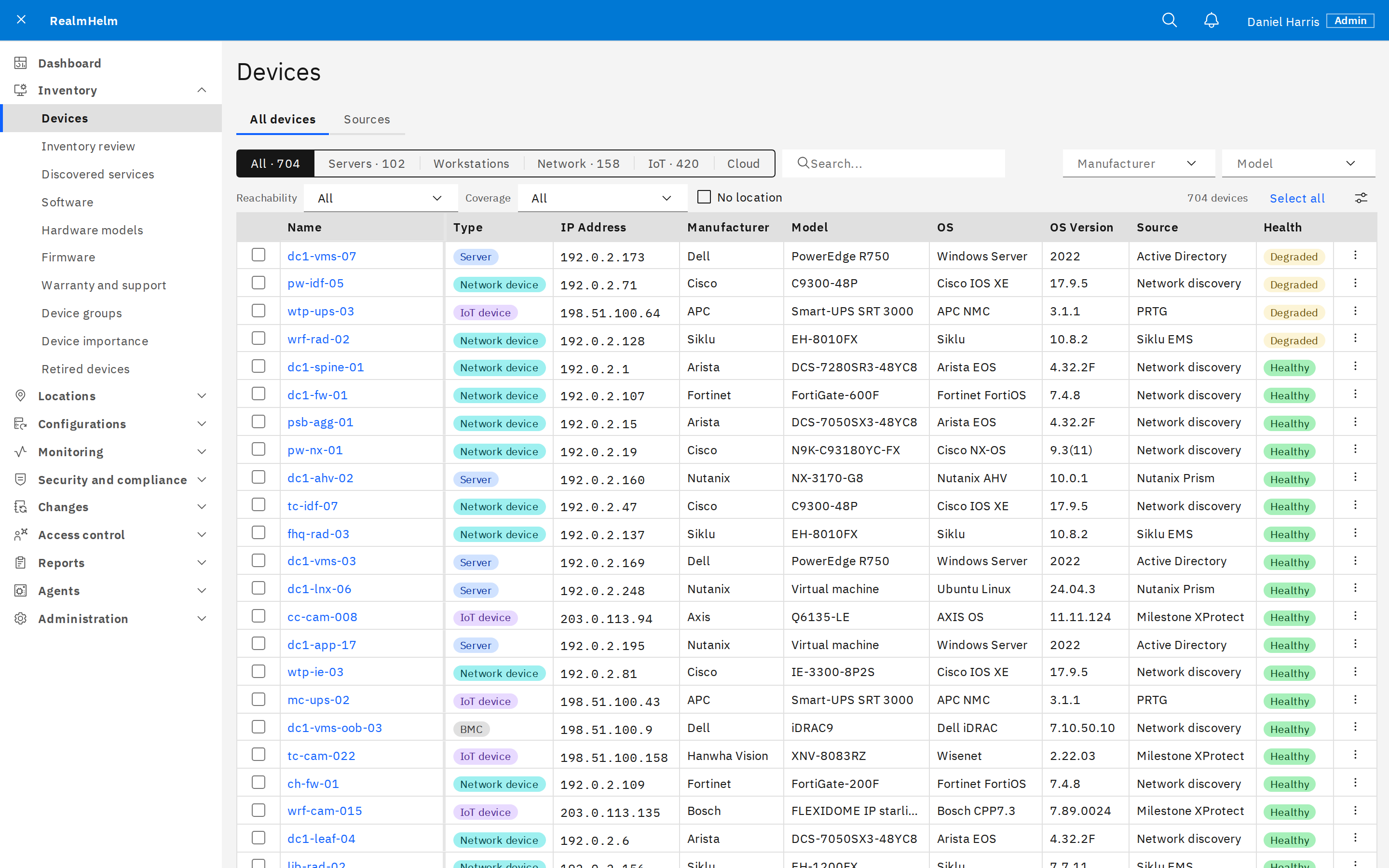
- Discover and import
- Run network scans from site agents or import from Active Directory, Nutanix Prism, Milestone XProtect, Siklu EMS, Azure, Cradlepoint, PRTG and CSV.
- Review device identity
- Review conflicting serial numbers, possible duplicates and returning retired devices. Preview the effect of a decision before accepting it.
- Keep source history
- See which source supplied each field. Pin values that later syncs should preserve.
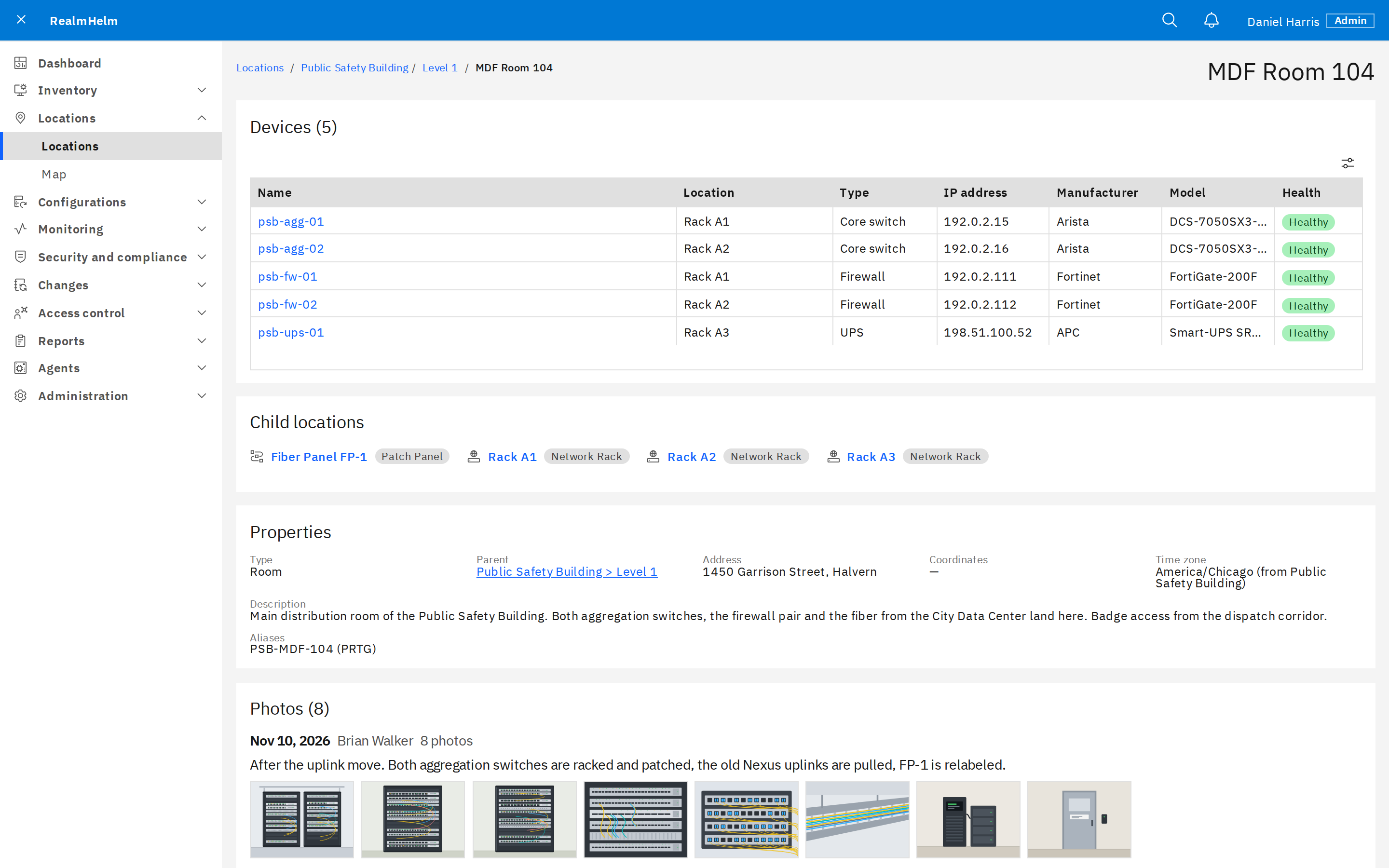
Sites, rooms and equipment locations
Organize devices in a location hierarchy, from regions and buildings to equipment rooms and racks. Use maps, field photos and discovery-based placement suggestions.
Device connections come from LLDP, CDP, radio pairs and MAC/ARP information.
Warranty, replacement and retirement
- Warranty and support
- Look up supported records from Cisco, Dell, Fortinet and Hanwha using the vendor access required for each source.
- Replacement history
- Review replacement hardware, retain the old device record and transfer the location and address to its successor.
- Retired devices
- Keep retired records and their history. Restore a retired device when it returns to service.
See it in RealmHelm
Talk with an engineer about your equipment and the work you need to do.